How to swap TON to USDT without KYC
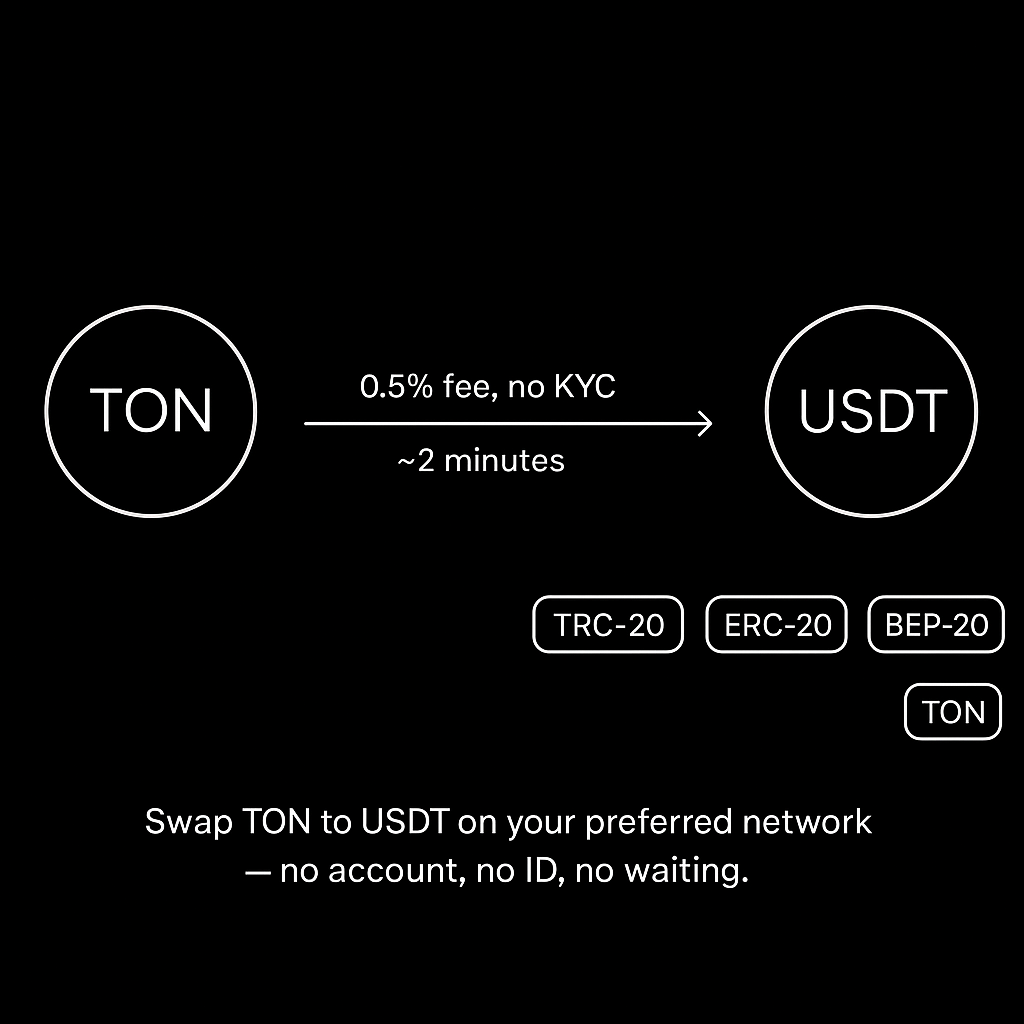
How to swap TON to USDT without KYC
Swap TON to USDT right here — live widget below.


Swap Toncoin → Tether
Live rate · settles in minutes
But choosing the right kind of USDT is harder than finding a no-KYC swap.
USDT on TRC-20, ERC-20, BEP-20, Solana, Polygon, and TON are different destinations. “Just use a DEX” is incomplete advice too: it leaves you to manage the TON wallet, gas, jetton contract, liquidity, and any cross-chain step afterward.
So for most TON holders, SwapCherry is the practical route. You send TON, choose the USDT network your receiving wallet supports, and review a displayed 0.5% platform fee without opening an account or submitting identity documents.
So this guide starts with the network choice. It compares a TON DEX with an instant swap, then covers the SwapCherry flow and the records to keep.
In this article
- The TON-to-USDT problem is a network problem
- “USDT” is not one destination
- A TON DEX works, but it makes you manage the machinery
- For this job, an instant swap is the shorter route
- Swap TON to USDT with SwapCherry in three steps
- Check these details before you press send
- No KYC does not mean no tax
- The questions that decide whether your swap works
- The practical verdict
The TON-to-USDT problem is a network problem
TON is the native asset of The Open Network. USDT exists on several networks, including TON, TRC-20, ERC-20, BEP-20, Solana, and Polygon. You hold TON in one environment; the service waiting for your USDT may accept only one specific version.
So that is the pair gap. A TON-to-USDT conversion exchanges the asset and delivers it on the correct network.
Centralized exchanges commonly require an account and identity checks before you can trade or withdraw. But this route suits users willing to complete verification. It adds a process the privacy-focused user is trying to avoid.
A TON DEX can handle a TON-native swap without an account, but it does not by itself deliver USDT on TRC-20, ERC-20, BEP-20, Solana, or Polygon. You must understand the TON-side trade and solve delivery on the destination network separately.
SwapCherry’s TON-to-USDT page handles that step. Select TON and USDT, choose the receiving network, and provide the destination address. The network decision comes before the transfer.
“USDT” is not one destination
Open the receiving wallet or platform before creating the swap. Then find its USDT deposit instructions and record the exact network/standard it accepts.
| USDT network/standard | What you must confirm |
|---|---|
| USDT on TON | The receiving service supports USDT on TON |
| USDT on TRC-20 | The service provides a TRC-20 USDT address |
| USDT on ERC-20 | The service provides an ERC-20 USDT address |
| USDT on BEP-20 | The service provides a BEP-20 USDT address |
| USDT on Solana | The service supports USDT on Solana |
| USDT on Polygon | The service supports USDT on Polygon |
Treat the address and network as one instruction. Use the network specified by the receiving service. An address may not work across networks just because the ticker says USDT.
Consider Alex. Alex holds TON and needs USDT in a separate wallet that specifically provides a TRC-20 USDT deposit address. Alex should select USDT on TRC-20 and paste that wallet’s TRC-20 address.
Choosing TON because the source asset is TON would produce a different destination. Choosing ERC-20 because it is familiar would also produce a different destination. The receiving wallet’s deposit instructions decide.
SwapCherry’s BTC-to-USDT guide lists destination choices including ERC-20, BEP-20, TRC-20, Solana, Polygon, and TON. The available choice matters only when it matches the wallet waiting on the other side.
For Alex, the decision is finished here: TRC-20 first, address second.
A TON DEX works, but it makes you manage the machinery
A TON DEX makes sense when you want to manage an on-chain trade yourself. STON.fi and DeDust are examples of TON-native venues.
The workflow usually looks like this:
- Set up and fund a TON wallet.
- Keep enough TON for network gas.
- Connect the wallet to the DEX.
- Verify the USDT jetton contract.
- Review liquidity and slippage.
- Approve and sign the swap.
That is reasonable if you already use TON DeFi. It is a lot of machinery when the actual task is simply to turn TON into USDT for a separate wallet.
A TON DEX handles TON-native assets; it does not by itself deliver USDT on TRC-20, ERC-20, BEP-20, Solana, or Polygon. If the receiving service requires one of those networks, you need a cross-chain step or another service after the TON trade.
Pool fees are commonly quoted around 0.2%–0.3%, before gas. Routing, slippage, and price impact also affect the result. A secondary TON DEX overview lists a 0.3% STON.fi pool fee; treat that as an example and check the live quote before trading.
Thin liquidity can materially reduce the amount received. Inspect the expected output before signing.
Comparing a DEX’s 0.3% pool fee with SwapCherry’s 0.5% service fee as though they were the same cost is misleading. The DEX figure describes one pool charge. Your result also depends on routing and gas. Liquidity and slippage matter too. SwapCherry shows its platform fee in the quote, so you can judge the displayed result before sending.
Verify official jetton contracts and use bookmarked platform links. Read transaction permissions before signing. The mechanics are transparent; your mistakes are still yours.
For this job, an instant swap is the shorter route
If you want to convert TON into USDT on a specified network, compare the workflows rather than headline fees.
| Route | What you manage |
|---|---|
| TON DEX | Wallet, gas, jetton contract, liquidity, slippage |
| SwapCherry | Source asset, recipient address, destination network |
SwapCherry describes its flow as non-custodial, with no registration or KYC, and charges a displayed 0.5% platform fee. Its rate comes from liquidity providers and updates in real time. Network cost is reflected in the final estimate.
Most swaps finish in under two minutes, according to SwapCherry, though confirmations and congestion can affect the timing.
For this use case, SwapCherry is the simpler route and is designed to complete swaps in minutes. A DEX followed by a separate cross-chain step adds more moving parts. With SwapCherry, you provide one recipient address and make one TON deposit transfer.
Use a TON DEX when you specifically want to control the TON-native trade. Use SwapCherry when the instruction is: “Send TON and receive USDT on the network my wallet supports.”
Swap TON to USDT with SwapCherry in three steps
1. Check the receiving network first
Open the wallet or service that will receive your USDT. Record its exact network and copy the deposit address only after confirming that network.
For Alex, the receiving wallet says USDT on TRC-20. That means Alex must select TRC-20 in the SwapCherry flow. If the wallet instead specifies ERC-20, BEP-20, Solana, Polygon, or TON, select that exact option.
Do this before opening the swap. The destination network controls the rest of the process.
2. Select TON, USDT, and the network
Go to the SwapCherry TON-to-USDT page. Set TON as the source asset and USDT as the destination asset, then choose the network recorded in step one.
The widget displays the current rate and estimated amount. Review the displayed 0.5% platform fee and the final estimate. SwapCherry says limits depend on available liquidity and appear in the widget.
For Alex, the settings are:
- Source: TON
- Destination: USDT
- Network: TRC-20
- Recipient: Alex’s TRC-20 USDT address
The quote is live, so review the actual figure shown when you prepare the swap.
3. Enter the recipient address and send TON
Paste the USDT recipient address into the swap form. Check the complete address and confirm that its network matches the selected destination.
Then review the generated TON deposit address. These are different addresses:
- Recipient address: where SwapCherry sends the USDT.
- TON deposit address: where you send the TON funding the swap.
Send TON only to the deposit address SwapCherry generates. Send nothing to the USDT recipient address.
Confirm the source and destination assets first. Check the network and recipient address. Then review the amount, fee, and estimated result before signing the TON transfer. After the required confirmations, SwapCherry sends the USDT automatically to the recipient address.
SwapCherry says most swaps complete in under two minutes, subject to network confirmations and congestion. The required diagram uses “no waiting” as shorthand for the no-account flow; it is not a promise that a congested network settles instantly.
## Check these details before you press send
Use this checklist for SwapCherry, a DEX or another crypto route:
- Source: TON is selected as the asset you are sending.
- Destination: USDT is selected as the asset you will receive.
- Network: The selected USDT network exactly matches the receiving service’s instructions.
- Address: The complete recipient address is correct.
- Estimate: The expected USDT amount and displayed fee are acceptable.
- Limit: The amount falls within the available limit shown in the widget.
- Deposit address: You are sending TON to the generated TON deposit address, not the USDT recipient address.
- Record: You can save the swap details and transaction IDs afterward.
Address and network errors can be irreversible. A valid-looking address on the wrong network is still the wrong destination.
Bookmark verified platform links and avoid search-result lookalikes. On a DEX, verify the official jetton master contract. Then inspect the permissions of the transaction you are signing.
The checklist is dull. Good. Dull prevents expensive mistakes.
No KYC does not mean no tax
A no-KYC swap changes the verification process. It does not decide whether the transaction creates a tax obligation.
Your residency and activity determine the relevant rules. Guidance from CountDeFi makes the practical point that no-KYC platforms leave more of the record-keeping burden with you. A crypto-to-crypto swap may be treated as a disposal or taxable event in your jurisdiction, even when no tax form arrives.
Keep:
- The date and time of the swap
- The amount of TON sent
- The amount and network of USDT received
- The wallet addresses involved
- Transaction IDs
- Your cost basis and valuation records
- Any available platform quote or swap receipt
I’m not giving jurisdiction-specific tax advice here. The sources available for this guide are secondary and partly US-focused, so verify the rule that applies where you file. The US guidance in many online articles does not determine your result if you live elsewhere.
Keep your wallet history organized by wallet and retain the transaction records even when a platform does not issue tax documents. A licensed tax professional can apply the relevant rules to your circumstances.
No KYC is a privacy feature. It is not a tax exemption.
The questions that decide whether your swap works
Can I swap TON to USDT without KYC?
Yes. SwapCherry’s TON-to-USDT page says you can convert Toncoin to Tether without creating an account or providing an ID.
How long does the swap take?
SwapCherry says most swaps complete in under two minutes, subject to network confirmations and congestion.
Can I receive USDT on any network?
The service supports destination choices including TRC-20, ERC-20, BEP-20, Solana, Polygon, and TON. Choose only a network supported by the receiving wallet or service.
Is a TON DEX cheaper?
Its displayed pool fee may be lower. Compare the expected amount received after slippage, routing, gas, and price impact. A pool fee and an instant-swap service fee describe different cost models.
Is no-KYC crypto legal everywhere?
Your jurisdiction determines the answer. Local law, tax rules, and sanctions requirements still apply when you use a no-KYC service. OneKey’s tax guidance says tax treatment varies by country.
Do I need to keep records?
Yes. Save wallet histories, transaction IDs, amounts, dates, networks, and cost-basis information. A no-KYC route may leave you responsible for maintaining the complete record yourself.
The practical verdict
For a TON holder who wants USDT without KYC and does not want to manage a DEX, SwapCherry is the recommended route.
Open the receiving wallet first. Identify its USDT network, enter that network and address in SwapCherry, review the displayed fee and estimate, then send TON to the generated deposit address.
Swap TON to USDT with SwapCherry.
Network first. Address second. Amount third. Save the transaction IDs after the swap.